

If you’re evaluating Brightpearl for your business, you’ve probably noticed that the company doesn’t publish prices on its website. That’s deliberate. Brightpearl works on a custom-quote model, so what you pay depends on your order volumes, the modules you need and how much implementation work your setup requires. In this guide, we’ll look at how Brightpearl pricing works, what pushes the cost up, and how it compares with alternatives such as Clarus WMS, which publishes its base fees upfront.
Is Brightpearl an ERP system?
Yes. Brightpearl is a retail operating system and enterprise resource planning (ERP) platform built for mid-market retail and ecommerce businesses. It’s now part of Sage and sold as Brightpearl by Sage. It brings order management, inventory control, financials and fulfilment across multiple sales channels into one system. Unlike traditional ERP systems built for manufacturing or large enterprises, Brightpearl is designed around the demands of omnichannel retail.
The platform connects to major marketplaces and storefronts such as Amazon, eBay and Shopify, which makes it attractive for sellers managing stock across several channels. That breadth comes with complexity, though, and complexity tends to show up in the cost. If you’re still deciding whether you need an ERP at all, our guide to ERP vs WMS covers where each one fits.
Understanding Brightpearl’s pricing model
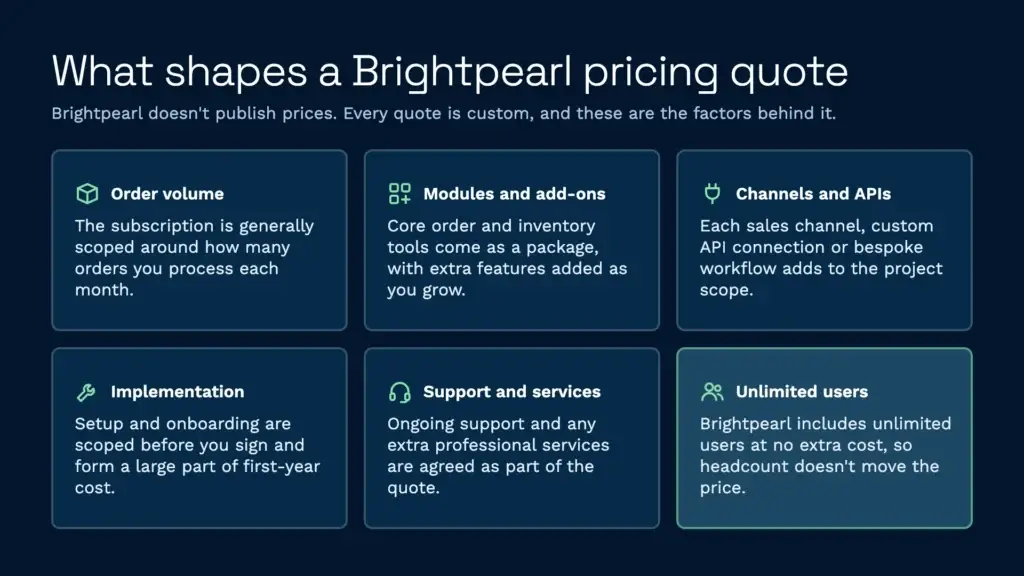
Brightpearl doesn’t publish standard pricing tiers. Instead, you get a custom quote, and Brightpearl scopes each project before you sign. Unlimited users are included at no extra cost, so unlike many ERP systems, headcount isn’t what moves the price. The factors that do shape a quote include:
- Order volume: The subscription is generally scoped around how many orders you process each month.
- Modules and add-ons: Core order and inventory management comes as a package, with extra tools and features added as you grow.
- Sales channels and integrations: The number of channels you connect, plus any custom API connections or bespoke workflows, adds to the scope.
- Implementation and onboarding: Setup is scoped as part of the quote and makes up a large share of the first-year cost.
- Support and services: Ongoing support and any extra professional services are agreed as part of the quote too.
Because the quote depends on all of these, two retailers of a similar size can end up paying very different amounts. The only reliable way to get a figure is to request a quote from Brightpearl directly.
What is the average cost of inventory management software?
Inventory management software covers a huge range. At the low end, Shopify’s built-in inventory management comes included with your plan. Mid-range dedicated systems such as Cin7 usually charge a monthly subscription that scales with features, users or order volume. ERP-grade systems like NetSuite, Infor and Brightpearl sit at the top of the range, and most of them quote rather than publish prices.
The “average cost” doesn’t tell you much, because needs vary so much. A small online retailer with one warehouse has very different requirements from a 3PL managing stock for dozens of clients across several distribution centres. For a fuller breakdown of what UK operations pay, see our guide to WMS cost.
What matters more than the average is transparency: does the vendor publish pricing upfront, or do you have to request a quote? For warehouse operators and 3PL providers, knowing your software cost in advance makes it far easier to price your own services.
What is a landed cost in Brightpearl?
Landed cost in Brightpearl is the total cost of goods, including the product price, freight, import duties, taxes and any other expenses involved in getting the product into your warehouse ready for sale. Brightpearl tracks landed cost to give you a true picture of profitability on each SKU, rather than just the purchase price.
This feature is valuable if you import goods internationally or work with freight forwarders. Brightpearl can capture landed costs from purchase orders, supplier invoices and freight bills, then allocate those costs across units in stock. This level of cost accounting does add complexity, though, and usually needs configuring during setup, which adds to implementation time.
What are the benefits of using Brightpearl?
When it suits your business, Brightpearl offers genuine value:
- Multi-channel integration: Sync inventory and orders across Amazon, eBay, Shopify, WooCommerce and your own website in one place, with no more hopping between channels.
- Real-time inventory visibility: Track stock levels across locations and channels as they change, which reduces overselling and dead stock.
- Order automation: Set rules to allocate, route and process orders automatically, including which channels or fulfilment routes take priority.
- Financial integration: Brightpearl includes a general ledger and VAT tracking, so you can close your books faster.
- Scalability: The system can handle growing order volumes and additional warehouses without a rip-and-replace project.
- Implementation support: Brightpearl’s team provides onboarding and training, which helps if you want a guided rollout.
These benefits come with caveats. Real-time visibility only works if your integrations are properly configured, which takes technical effort. Automation only saves time if your business rules fit the system’s workflow. And scalability only matters if you’re willing to pay the costs that come with it.
How does Brightpearl pricing compare to alternatives?
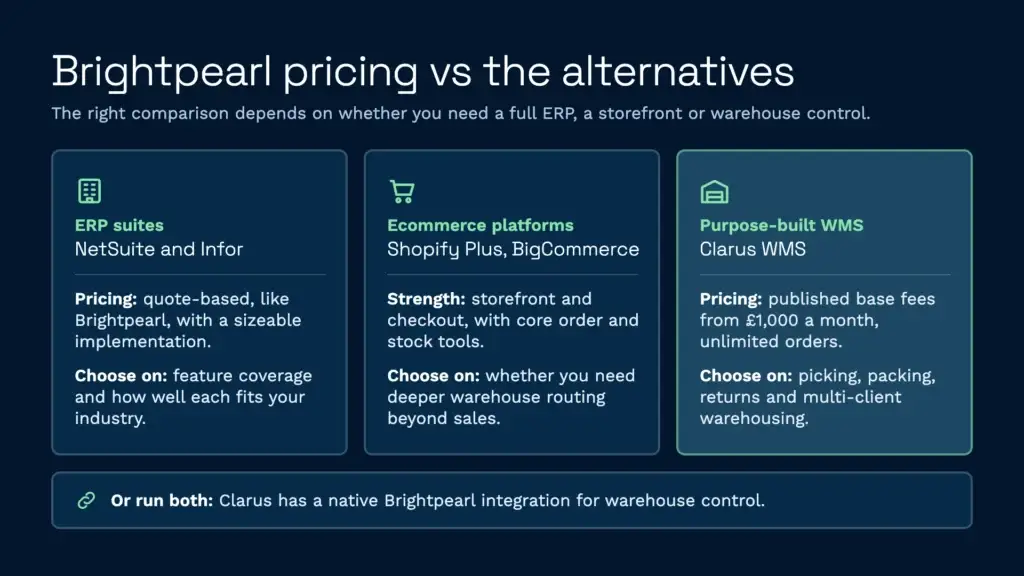
Brightpearl competes with full ERP suites, ecommerce platforms and specialist warehouse systems, and the right comparison depends on what your business needs most.
Brightpearl vs NetSuite or Infor
NetSuite and Infor are comparable ERP platforms. All three quote rather than publish prices, and all need a meaningful implementation investment. If you’re comparing them, cost is likely secondary to feature coverage, and the deciding factor is usually how well each fits your industry and workflow.
Brightpearl vs Shopify Plus or BigCommerce Enterprise
If your business is mainly ecommerce, hosted platforms like Shopify Plus or BigCommerce Enterprise might handle order and inventory management without Brightpearl. These platforms are strongest on the storefront and checkout experience rather than warehouse operations, though. If you need advanced inventory allocation, warehouse routing or multi-channel orchestration beyond basic sales channels, Brightpearl goes deeper.
Brightpearl vs purpose-built warehouse solutions
This is where Brightpearl’s pricing becomes a harder sell. If your main concern is warehouse operations and 3PL management, you may be paying for retail features you don’t use. A focused 3PL management system or warehouse management system can deliver better value. These tools specialise in picking, packing, returns and multi-client warehousing, with features like client billing and multi-client inventory control built in.
For example, Clarus WMS is built for 3PL operators and warehouses, and it publishes its base fees on its pricing page: from £1,000 a month for single-site operations, £1,500 for 3PLs and multi-site distributors, and £2,000 for high-volume, international setups. Orders, shipments, SKUs and carriers are unlimited, and the price moves with your sites and users rather than with how much you ship, so a busy peak doesn’t push your software bill up. There’s a one-off implementation fee, and a specialist confirms the final figure for your setup.
It doesn’t have to be one or the other, either. Clarus has a native Brightpearl integration: Brightpearl sales orders flow into Clarus for picking, packing and labelling, and tracking numbers and stock levels go back to Brightpearl at despatch. Retailers who like Brightpearl for finance and channel management can keep it and add warehouse control alongside. You can see the full list of connections on our integrations page.
Brightpearl reviews: what do customers say?
On Capterra, Brightpearl reviews average 4.4 out of 5 from around 200 reviews, with customers praising its multi-channel capabilities and the way it keeps inventory, orders and accounting in sync. Value for money is its lowest-scoring category, at 4.2. Themes that come up in less positive reviews include:
- Cost against value: Some users feel the price is hard to justify, especially for smaller retailers.
- Setup effort: Getting the system configured takes time, and some businesses bring in technical resources or external consultants.
- Reporting flexibility: Some reviewers would like more freedom to build their own reports.
Without published prices, it’s also harder to compare Brightpearl with other systems before you’ve been through a sales process. Software Advice Brightpearl reviews show a similar picture, also averaging 4.4 out of 5, with users rating its omnichannel retail strengths highly while value for money again scores lowest.
Hidden costs and considerations
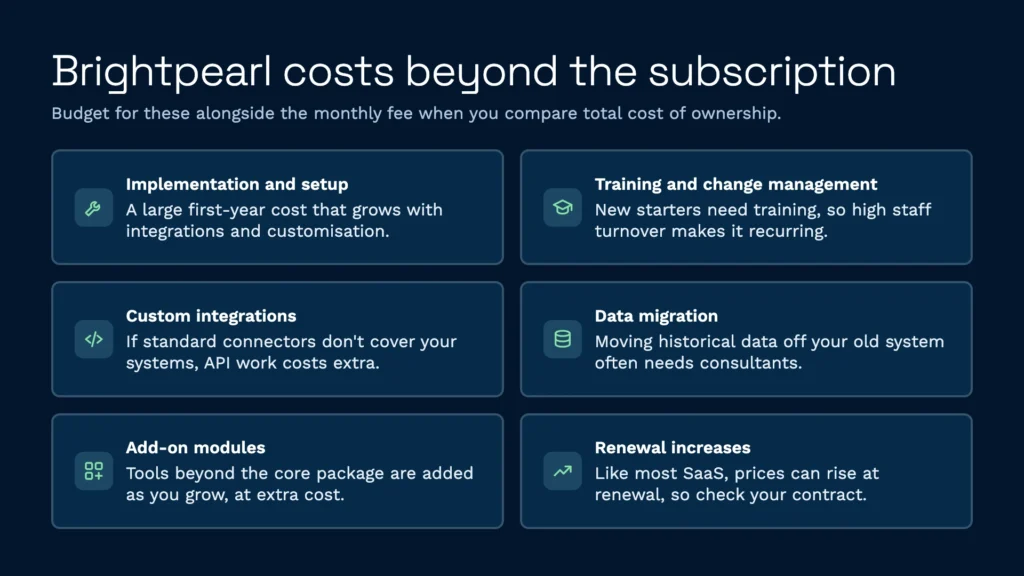
When evaluating Brightpearl, factor in expenses beyond the monthly subscription:
- Implementation and setup: Expect implementation to be a significant line item in your first year, depending on how complex your integrations and customisations are.
- Training and change management: Your team will need training. If you have high staff turnover, ongoing training becomes a recurring cost.
- Custom integrations: If the out-of-the-box connectors don’t cover your systems, you’ll need to pay for custom API development.
- Data migration: Moving historical data from your old system isn’t always simple and may need external consultants.
- Add-on modules: Extra tools and features beyond the core package are added as you grow, at extra cost.
- Renewal increases: Like most SaaS platforms, prices can rise at renewal, so check what your contract says about increases.
Compare these against a system with published pricing and simpler setup. The total cost of ownership can be much lower with a focused solution.
When Brightpearl makes sense financially
Brightpearl is the right choice if:
- You sell through five or more channels and need unified inventory across them.
- You’re a small to mid-sized retailer: ERPFocus profiles Brightpearl as suited to businesses with up to 1,000 employees.
- You operate multiple physical locations and need consolidated financials and inventory.
- You have the internal or consultant resources to implement and maintain the system properly.
- Your business model lines up closely with the retail workflows Brightpearl is built around.
If you’re a 3PL provider, a small warehouse operator, or a business using only one or two sales channels, you’re likely paying for features you won’t use. The quote-based model also makes it harder to forecast costs as you grow.
Transparent pricing as an alternative
The frustration some users express about Brightpearl’s costs has driven interest in alternatives with published pricing. When you’re working out how to choose a warehouse management system, clarity on cost should rank high.
A system that publishes its prices lets you predict costs as you scale. Pricing that doesn’t move with throughput is especially useful for 3PLs and seasonal businesses, where order volumes can swing sharply between quiet months and peak. You’re not caught out by volume charges, add-on modules or surprise implementation bills. And if warehouse management is your main focus, you’re not paying for retail features you don’t need.
Understanding warehouse costs in the broader context
Brightpearl pricing is just one line item in your total warehouse costs. Rent, labour, utilities and equipment dwarf software spending for most operations. Even so, the right software raises productivity and cuts wasted labour time. A system with published pricing lets you model ROI accurately, while one priced by quote makes that calculation much harder. If you’d like to see what Clarus would cost for your operation, get in touch or take a quick product tour.