

Running a small or mid-sized enterprise (SME) means juggling multiple moving parts. You’re managing inventory, tracking finances, fulfilling orders, and trying to keep costs down, all at once. If you’re still relying on spreadsheets and disconnected tools, you’re probably losing time and money without realising it. That’s where ERP for SME becomes a game changer.
Enterprise Resource Planning (ERP) software isn’t just for large corporations anymore. Modern cloud ERP systems have made it possible for small businesses to access the same operational visibility and automation that Fortune 500 companies use. In this guide, we’ll walk you through what ERP is, why it matters for your business, and how to find the best ERP software solution for your needs.
What Is ERP for Small Business?
An ERP system is a centralised software platform that connects all your business operations into one unified database. Instead of managing finance in one tool, inventory in another, and customer data in a third, ERP consolidates everything.
For small businesses, ERP software solutions typically include modules for accounting, inventory management, sales, purchasing, and customer relationship management (CRM). When you implement ERP for small business, you’re essentially giving your team one source of truth for every decision that matters.
Why ERP Matters for SMEs
Small businesses operate on tight margins. A single error in inventory can lead to stockouts or excess stock. A missed invoice can disrupt cash flow. Manual data entry creates bottlenecks and leaves room for mistakes. Cloud ERP systems eliminate these friction points by automating routine tasks and giving you real-time visibility into your operations.
Think of it this way: without ERP, your sales team doesn’t know what’s in stock, your warehouse doesn’t know what’s been ordered, and your finance team is reconciling data from three different sources. With the right ERP system software, everyone sees the same numbers at the same time.
Key Benefits of ERP Software Solutions
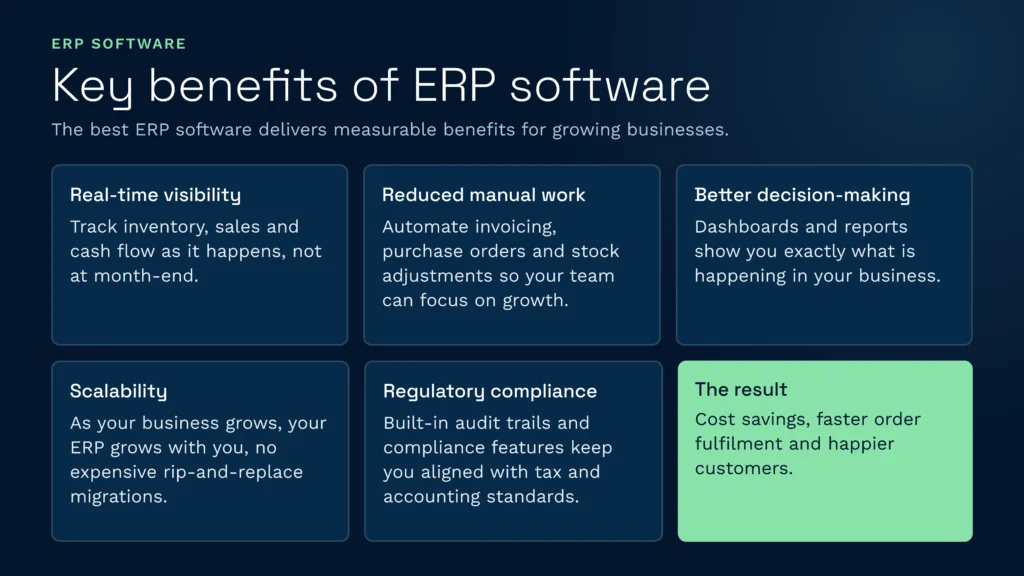
The best ERP software delivers measurable benefits for growing businesses. Here’s what you can expect:
- Real-time visibility: Track inventory, sales, and cash flow as it happens, not at month-end.
- Reduced manual work: Automate invoicing, purchase orders, and stock adjustments so your team focuses on growth.
- Better decision-making: Access dashboards and reports that show you exactly what’s happening in your business.
- Scalability: As your business grows, your ERP grows with you without expensive rip-and-replace migrations.
- Regulatory compliance: Built-in audit trails and compliance features keep you aligned with tax and accounting standards.
These benefits translate to cost savings, faster order fulfilment, and happier customers.
Understanding Cloud ERP Systems for Small Business
When you’re evaluating ERP options, you’ll hear the term “cloud ERP” constantly. Here’s what it means: instead of installing software on your own servers, a cloud ERP system runs on the vendor’s infrastructure. You access it through your browser.
For small businesses, cloud ERP systems for small business are a no-brainer. You don’t need an IT team to maintain servers, you get automatic updates, and you can scale up or down instantly.
Cloud vs. On-Premise ERP
On-premise ERP requires you to buy expensive hardware, hire IT staff to manage it, and handle security patches yourself. Cloud ERP flips that model. You pay a monthly or annual subscription, the vendor handles everything, and you focus on running your business.
For most SMEs, cloud ERP systems are the clear winner. The upfront cost is lower, implementation is faster, and you get peace of mind knowing security updates happen automatically.
What to Look for in the Best ERP Software
Not all ERP systems are created equal. When comparing options, look for these critical features:
Integration Capabilities
Your ERP won’t work in isolation. You’ll want to integrate it with your email, e-commerce platform, payment processor, and shipping tools. Look for ERP systems that offer native integrations or robust APIs. The more seamlessly your ERP connects with your existing tools, the less manual data entry you’ll need.
If you’re managing a warehouse or 3PL operation, clarus wms integrations with your ERP ensure inventory data flows automatically between systems.
Ease of Use
The most powerful ERP is useless if your team won’t use it. Look for intuitive interfaces, clear workflows, and good training resources. When you evaluate ERP for small business options, take a test drive. How long does it take to create an invoice? To check stock levels? These everyday tasks should feel natural, not clunky.
Implementation Speed
Your business can’t afford weeks of downtime while you implement new software. The best ERP software for SMEs can be up and running in weeks, not months. Cloud-based solutions typically deploy faster than on-premise systems.
Cost Structure
With ERP for SMEs, cost matters. Look for transparent pricing with no hidden fees. Most vendors charge per user or by module. Make sure you understand exactly what you’re paying for and whether that includes support, updates, and training.
Common ERP Software Solutions for Small Businesses
The market for ERP for small business has exploded in recent years. Whether you’re looking for budget-friendly options or feature-rich platforms, there’s something for every business size and budget.
According to industry guides, popular best ERP for small and mid-sized businesses include a mix of generalist platforms and specialised solutions. Some focus on specific verticals like retail or manufacturing, while others serve all industries.
For comprehensive comparisons of best ERP systems for SME options, independent review sites can help you narrow down your choices based on your specific needs.
UK-based SMEs should also explore ERP for small business solutions from Sage UK, which offers dedicated support for the UK market. You’ll also find regional expertise in platforms like the UK’s leading ERP for small businesses.
ERP Implementation Best Practices
Choosing the right ERP is important, but implementation is critical. Here’s how to maximise your chances of success:
Define Clear Objectives
Before you sign a contract, know what you’re trying to achieve. Are you looking to reduce inventory costs? Speed up order processing? Improve cash flow visibility? Each goal points toward different features and implementation priorities.
Plan Your Data Migration
Your old data needs to move into the new system. Clean it up first. Remove duplicates, fix inconsistencies, and standardise formats. Garbage in, garbage out applies to ERP just as much as any other system.
Train Your Team
Your employees are the ones using this software every day. Invest in training. The vendor should provide it, but you also need to designate internal champions who become experts and help colleagues learn.
Consider Your Warehouse Operations
If you manage inventory across multiple locations or work with 3PLs, your ERP needs tight integration with your warehouse operations. Understanding warehouse management system benefits and how they connect with your ERP can dramatically improve accuracy and speed.
ERP for Growing SMEs: Scalability Matters
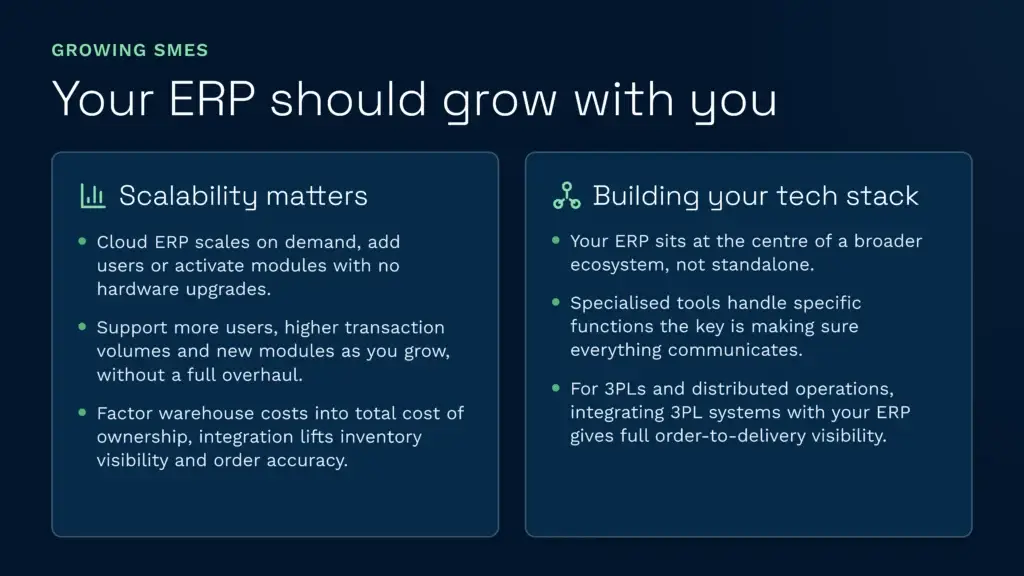
Your SME won’t stay small forever. As you grow, your ERP needs to grow with you. That means it should support additional users, handle higher transaction volumes, and expand to new modules without requiring a complete overhaul.
Cloud ERP systems are inherently more scalable than on-premise options. You simply add more users or activate new modules. There’s no need to upgrade hardware or worry about infrastructure limits.
When calculating total cost of ownership, factor in warehouse costs and how an integrated system might reduce them through better inventory visibility and order accuracy.
Building Your Tech Stack
Your ERP doesn’t stand alone. It sits at the centre of a broader technology ecosystem. Alongside your core ERP, you might run specialised tools for specific functions. The key is ensuring everything communicates.
For 3PLs and distributed operations, understanding 3pl systems and how they integrate with ERP helps you build an end-to-end solution that gives complete visibility from order to delivery.
Selecting the Right ERP Partner
Choosing an ERP vendor is like choosing a partner for your business growth. You want someone who understands your industry, offers responsive support, and has a clear roadmap for product development.
Look for vendors with a strong track record of successful SME implementations. Ask for references from companies similar in size and industry to yours. Check their support offerings, including response times and availability during your business hours.
The conversation around top 5 ERP systems for small businesses often highlights vendors with excellent customer support and proven implementation methodologies.
ROI: Measuring ERP Success
ERP requires investment. Before you commit, understand the return on investment (ROI) you can expect.
Common ROI metrics include:
- Reduction in inventory holding costs: Better visibility means less excess stock.
- Faster order fulfilment: Automation reduces processing time.
- Improved cash flow: Accurate invoicing and payment tracking.
- Labour savings: Less time on manual data entry and reconciliation.
- Better decision-making: Real-time data means fewer costly mistakes.
Many SMEs recover their ERP investment within 12 to 24 months. The key is choosing a system that addresses your specific pain points and implementing it well.
Also Talk About: Related ERP Concepts
As you explore ERP for SMEs, you’ll encounter related terms and concepts worth understanding:
ERP for small business solutions come in all shapes and sizes, but they share common goals: streamline operations, reduce costs, and improve visibility. Whether you’re a retailer, manufacturer, or distributor, there’s an ERP built for your business model.
ERP software solutions have evolved dramatically. Today’s solutions are more flexible, more affordable, and easier to implement than ever before. The barrier to entry that once existed is gone.
Cloud ERP systems for small business are now the default choice. They offer cost efficiency, speed, and flexibility that on-premise solutions can’t match. If your vendor is still pushing on-premise, ask why.
Common Mistakes When Choosing ERP for SME
Watch out for these pitfalls when selecting and implementing ERP:
- Choosing based on price alone: The cheapest option rarely delivers the best value. Focus on total cost of ownership and ROI.
- Ignoring integration needs: ERP doesn’t work in isolation. Make sure it connects with your other tools.
- Underestimating implementation effort: Plan for data migration, testing, and training. Budget time and money accordingly.
- Skipping the trial period: Always test before you commit. Most vendors offer free trials or demos.
- Neglecting change management: Resistance from staff is the biggest implementation killer. Invest in training and support.
Next Steps: Implementing ERP for Your SME
Ready to move forward? Here’s your action plan:
- Document your current processes and pain points.
- Define what success looks like for your business (lower costs, faster fulfilment, better visibility).
- Research 3 to 5 ERP solutions that match your needs and budget.
- Request demos or take advantage of free trials.
- Talk to customers of each vendor and ask about their experience.
- Negotiate pricing and support agreements.
- Plan your implementation timeline and resource requirements.
- Execute the implementation with clear milestones and accountability.
The right ERP system transforms how you run your business. It’s not about adopting the fanciest software. It’s about choosing a platform that solves your real problems and helps you scale confidently.
Ready to transform your operations and build the perfect software ecosystem for your growing business? Get in touch with the team at Clarus today to discuss your unique needs and take the first step toward a streamlined, scalable future.