

The best warehouse management system software balances operational depth with ease of deployment, connecting inventory control, order fulfilment and labour management in one platform. Grand View Research valued the global WMS market at around USD 3.4 billion in 2025, with forecast growth of 21.9% a year from 2026 to 2033. This guide breaks down the top options by operation type, enterprise, 3PL and SME, so you can focus your evaluation on platforms that match your scale and operation type.
What is warehouse management system software?
Warehouse management system (WMS) software is a cloud or on-premise platform that controls inventory flow, order fulfilment and labour productivity across a warehouse operation. A WMS records every movement of stock from goods-in through to dispatch. It shows you in real time what you hold and where it is, and it automates picking, packing and shipping workflows to cut errors and labour cost.
Warehouse management system software covers several jobs that generic inventory tools can’t handle alone. A warehouse management system typically handles receiving and putaway (matching incoming goods to purchase orders), bin and location management (tracking exactly where stock sits), order picking and wave planning (batching orders to cut walking time), inventory accuracy (cycle counting and stock adjustments) and shipping (selecting carriers and generating labels). More specialised operations need a purpose-built system rather than a generic add-on. That includes 3PL warehouses managing multiple clients, food and beverage sites with temperature and traceability requirements, and manufacturers serialising components.
For small businesses and e-commerce operations, the choice is usually between basic inventory tools (like Shopify’s built-in inventory or Zoho Inventory) and entry-level WMS platforms. For 3PLs and distributors, a purpose-built WMS handles the complexity that generic ERP systems struggle with: multi-client billing, client-specific SLAs, automated picking at scale and real-time client portals. A warehouse management system that fits your operation type and size removes the manual exceptions that make warehouse work slow and error-prone. If you’re weighing a WMS against the warehouse module in your ERP, ERP vs WMS sets out where each one stops.
How much does warehouse management system software cost? Warehouse management system software is usually priced per month, and the cost scales with the number of sites, users and integrations you need. Clarus publishes its pricing, with a monthly base price and a final quote tailored to your sites and users. Our WMS cost guide covers what drives the price up or down.
Warehouse management system software for small business: Smaller operations often start on spreadsheets or a basic inventory tool. They move to a WMS once picking errors and stock searches start costing more than the software would. Our guide to the best warehouse management software for small business covers where that point usually sits.
For a longer explainer, see what is a warehouse management system. If you’re buying for a UK operation, our best WMS for UK businesses guide narrows the field to platforms with UK carrier and marketplace integrations.
What is the best warehouse management system software in 2026?
The best WMS depends on your operation type. Manhattan Active WMS leads for large enterprise, Clarus WMS and Extensiv are strong choices for 3PL operations, and platforms like Mintsoft and Zoho Inventory serve SME warehouses well. No single platform wins every category.
How do the top WMS platforms compare by operation type?
| Platform | Operation type | Deployment | What stands out |
|---|---|---|---|
| Manhattan Active WMS | Large enterprise | Cloud-native | Gartner Magic Quadrant Leader for 17 consecutive years (2025) |
| SAP Extended Warehouse Management | Enterprise (SAP ecosystem) | Cloud / on-premise | Deep ERP integration, complex supply chains |
| Oracle NetSuite WMS | Mid-market to enterprise | Cloud | ERP and WMS on one platform |
| Clarus WMS | 3PL, multi-client enterprise | Cloud | Purpose-built 3PL billing, agentic AI-driven WMS |
| Extensiv 3PL Warehouse Manager | 3PL providers | Cloud | Multi-client management, carrier integrations |
| Deposco | Mid-market 3PL, e-commerce | Cloud | Built for 3PLs, brands and retailers |
| Mintsoft (Access Group) | SME, e-commerce fulfilment | Cloud | UK-built, strong carrier integrations, affordable |
| Zoho Inventory | Small businesses | Cloud | Low cost, multi-channel selling integration |
For verified user reviews and feature comparisons, directories such as Gartner Peer Insights, Capterra UK and Software Advice carry detailed ratings from real warehouse professionals.
What features should the best WMS include?
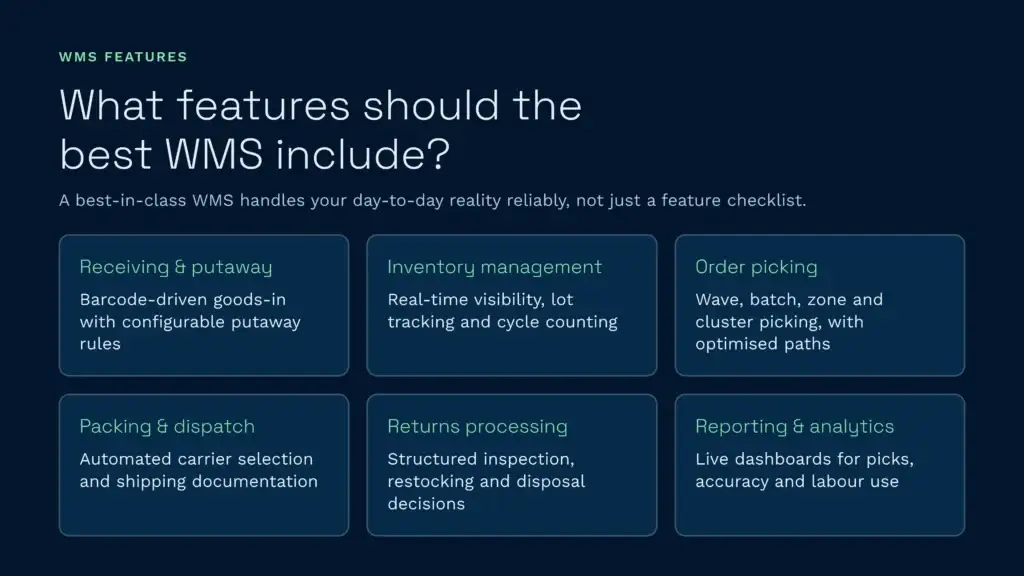
A warehouse management system earns a “best” rating when it handles core warehouse operations reliably and is flexible enough for your specific workflows. Feature checklists matter less than how well the system copes with your day-to-day reality.
Essential features across all WMS categories
- Receiving and putaway: barcode-driven goods-in processing with configurable putaway rules based on product type, velocity or client requirements
- Inventory management: real-time stock visibility across locations, lot and batch tracking, expiry date management and cycle counting
- Order picking: support for wave, batch, zone and cluster picking, with optimised pick paths to reduce travel time
- Packing and dispatch: automated carrier selection, label generation and shipping documentation with proof-of-dispatch confirmation
- Returns processing: structured workflows for receiving returns, quality inspection, and restocking or disposal decisions
- Reporting and analytics: real-time dashboards covering picks per hour, dock-to-stock time, order accuracy and labour utilisation
In Clarus, barcode scanning and structured stock checks are standard, not add-ons.
What separates enterprise WMS from mid-market platforms?
| Capability | Enterprise WMS | Mid-market WMS |
|---|---|---|
| Multi-site management | Global warehouse network with central control | Typically 1 to 5 sites |
| Automation integration | Native AMR, AS/RS and conveyor integration | API-based or limited |
| Labour management | Engineered standards, incentive tracking | Basic productivity reporting |
| Configuration depth | Highly customisable workflows per site | Template-based with some customisation |
| Implementation time | Often many months, especially with heavy customisation | Often weeks for a standard setup |
Which WMS is best for 3PL warehouse operations?
Third-party logistics providers need WMS platforms that handle multi-client complexity natively, not as an afterthought bolted onto a single-client system. Grand View Research points to growing WMS adoption across the 3PL and e-commerce sectors, where multi-client work makes specialised software a necessity.
The capabilities that separate 3PL-grade WMS from general warehouse software include:
- Multi-client inventory segregation: each client’s stock managed independently within shared warehouse space, with separate SKU catalogues and location rules
- Automated client billing: configurable billing engines that calculate storage charges, handling fees and value-added services per client, generating invoices automatically
- Client self-service portals: secure dashboards where your customers can view their inventory levels, track orders and run reports without contacting your team
- Flexible SLA management: different service levels, cut-off times and priority rules for each client
Clarus WMS was designed from the ground up for 3PL operations. Our multi-client architecture means every feature, from billing to reporting to workflow configuration, works at the client level without workarounds. Our 3PL solution page details the multi-client architecture built specifically for this segment. Client billing runs automatically, and a client portal gives your customers answers without a phone call. St John’s Hall Storage cut its invoicing time by 90% with Clarus, from 4 hours to under 20 minutes.
How do you evaluate WMS software before buying?
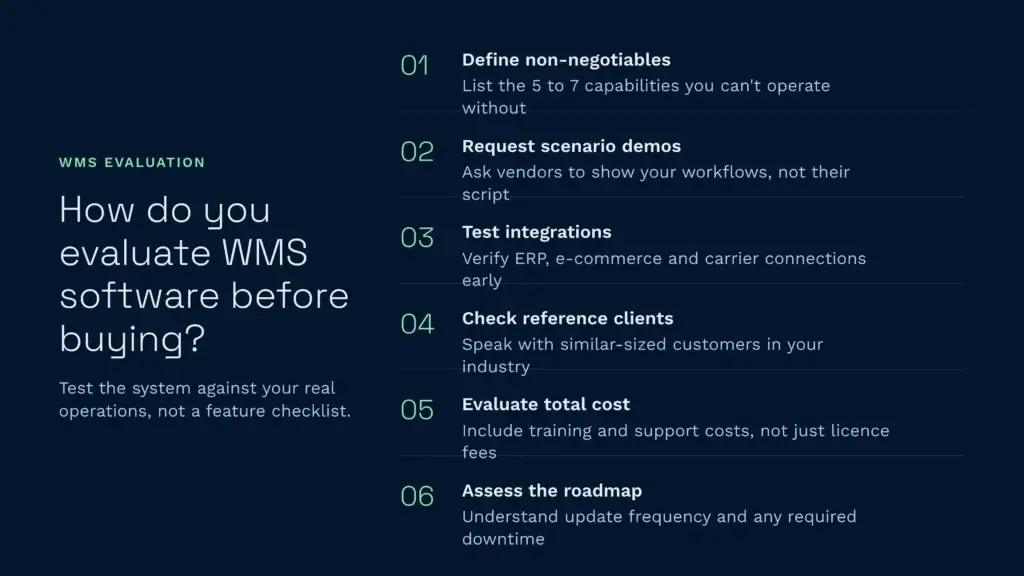
Test the system against your actual operations, not theoretical scenarios. Too many WMS projects go wrong because the selection was based on feature checklists rather than operational fit.
A practical WMS evaluation framework
- Define your non-negotiables: list the 5 to 7 capabilities you can’t operate without (for example multi-client billing, carrier API integration, lot tracking)
- Request scenario-based demos: ask vendors to demonstrate your specific workflows, not their standard demo script
- Test integration capabilities: check how the WMS connects with your ERP, e-commerce channels and carrier systems before committing
- Check reference clients: speak with existing customers in your industry and of a similar size
- Evaluate total cost of ownership: include implementation, training, integration and ongoing support costs alongside licence fees
- Assess the vendor’s roadmap: find out how often the platform is updated and whether updates need downtime
Reviews on Gartner Peer Insights are particularly useful during evaluation because they include detailed implementation feedback alongside feature ratings, giving you a realistic picture of what to expect during deployment.
What does WMS implementation typically involve?
Implementation timelines vary a lot between cloud-native and on-premise platforms. Cloud WMS platforms can go live much faster than on-premise systems. For a standard, off-the-shelf Clarus project with no custom development, Mathew Buttar, Head of Solutions at Clarus, gives this rule of thumb: “12 weeks is a good standard because you need to allow people time.” Our customer stories show how that played out on real sites.
A typical cloud WMS implementation follows this sequence:
- Discovery and scoping: mapping your current workflows, integration requirements and data migration needs
- System configuration: setting up warehouses, locations, products, users and workflow rules
- Integration build: connecting the WMS to your ERP, e-commerce platforms and carrier systems via APIs
- User acceptance testing: your team checks the system against real scenarios
- Go-live and support: a supervised launch with vendor support on-site or remote
Ready to find the best WMS for your warehouse?
The best warehouse management system is the one that fits your operation today and scales as you grow. If you run a 3PL or manage multiple clients from shared warehouse space, a purpose-built platform will outperform a generic system adapted for multi-client use.
Clarus WMS gives 3PLs and enterprise warehouses the multi-client depth, automated billing and fast deployment that generic platforms can’t match. Book a demo to see how Clarus WMS handles your specific workflows. We use your data, not a generic demo environment.