


The QAD warehouse management system is part of QAD Adaptive ERP, QAD’s manufacturing ERP. QAD’s November 2025 release added what it calls a fully embedded Lagerverwaltungssystem (WMS), and its inventory pages cover warehouse layout, cycle counting, picking order logic, barcode scanning and stock requests between sites. That suits a manufacturer that already runs QAD for finance and production. A third-party logistics (3PL) business that stores stock for several clients needs a different set of features, and that is where the choice gets harder.
This guide sets out what QAD’s warehouse module covers, based on QAD’s own pages. It then compares the module with a purpose-built 3PL WMS and lists what to ask before you buy. Clarus WMS is our product, so read the comparison with that in mind. Where a fact comes from QAD, Wikipedia or a trade source, we link it.
What QAD’s warehouse module covers
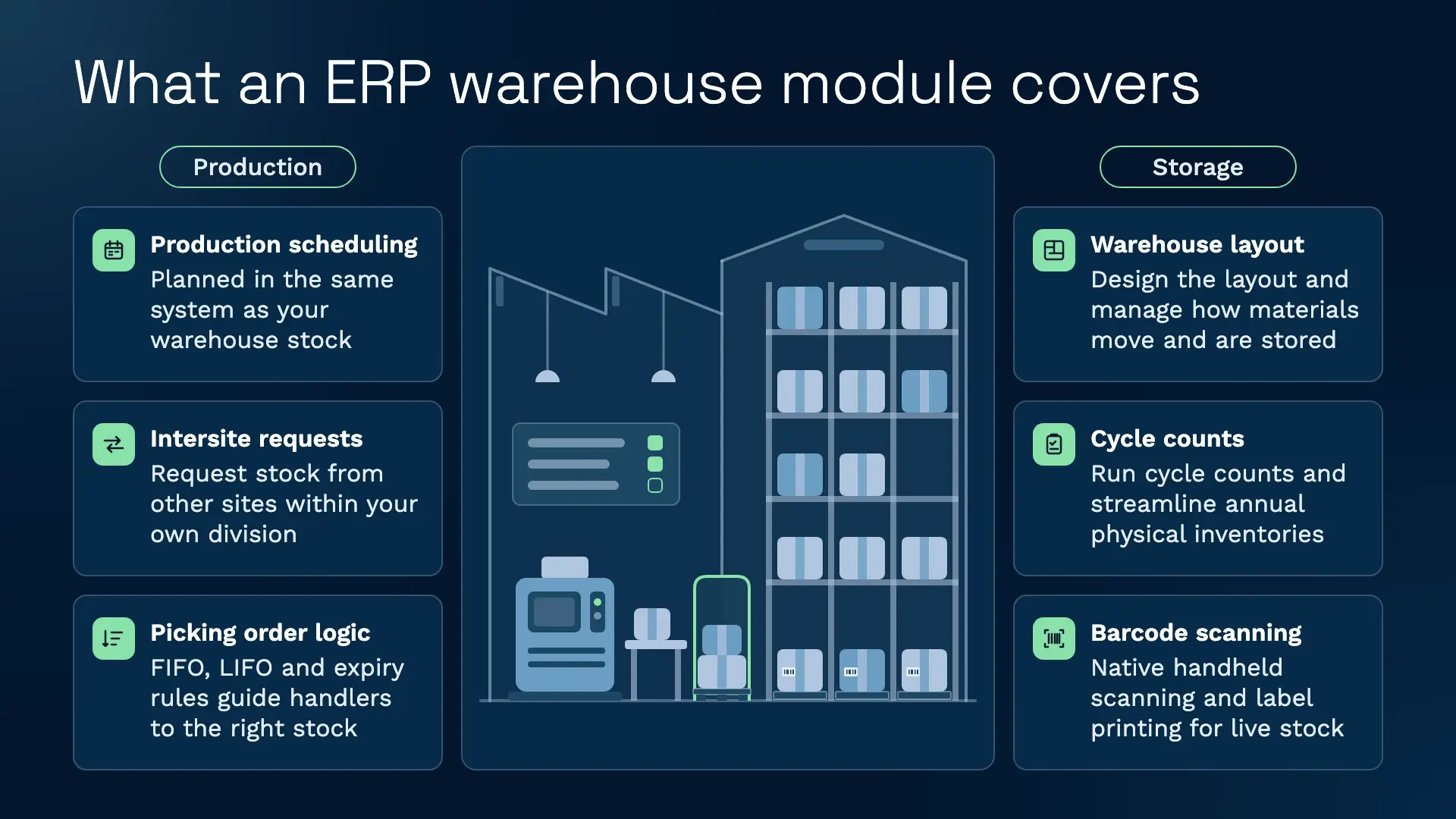
QAD’s inventory and traceability page is part of QAD Adaptive ERP. It describes warehousing as a way to design a warehouse layout and control how materials move and where they are stored. The page lists these warehouse-related capabilities:
- Warehouse layout: design the layout and manage how materials move through the facility.
- Cycle counts: run occasional cycle counts and streamline annual physical inventories.
- Picking order logic: FIFO, LIFO and expiry-based picking rules.
- Intersite requests: request inventory from other sites within your division.
- Barcode scanning and printing: native handheld scanner transactions and label printing.
QAD’s press release of 13 November 2025 says the newer release adds “a fully embedded Warehouse Management System (WMS)” alongside enhanced production scheduling. The pages we checked do not give a full list of receiving, put-away and despatch screens, or the number of sites and users the module supports. If those details decide the purchase, ask QAD for a demonstration on your own process.
Why the ERP link changes the decision
A warehouse management system is, in Wikipedia’s words, a set of policies and processes intended to organise the work of a warehouse or distribution centre. An Enterprise Resource Planning (ERP) system records the wider business: finance, orders, purchasing and production. QAD Adaptive ERP is QAD’s cloud-based ERP suite for manufacturers, according to Wikipedia.
Buying the QAD warehouse module therefore means choosing the ERP that carries it, unless you already run QAD. For a manufacturer that wants production, finance and stock in one system, that is a reasonable trade. For a 3PL that needs client-level control, it is a bigger question.
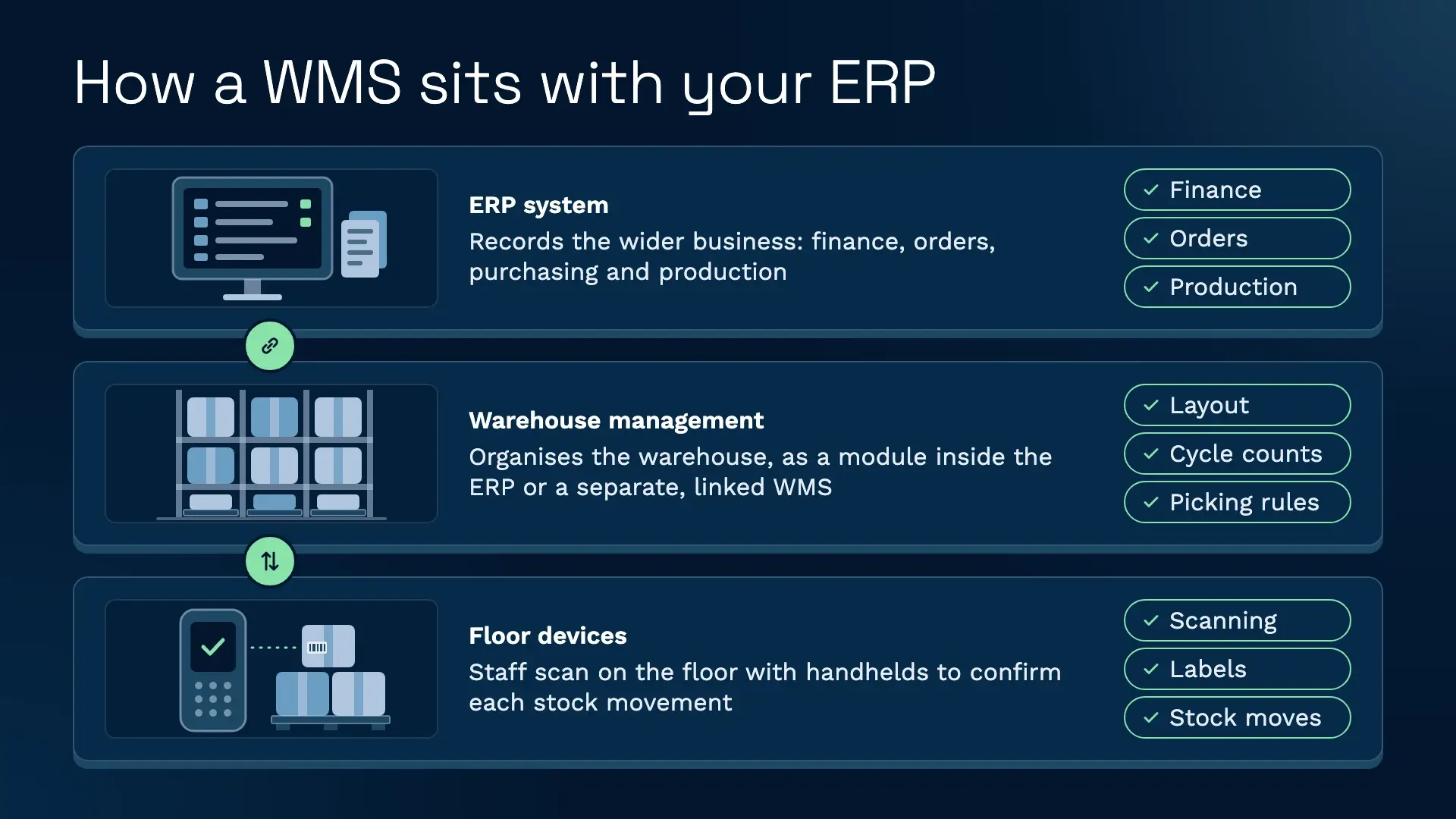
Mathew Buttar, Head of Solutions at Clarus, explains how a separate WMS connects to an ERP. Where the ERP offers an API, orders and receipts pass across almost instantly. Where it does not, Clarus maps the ERP’s interface files into its own format.
If you are still weighing the ERP side, read our ERP vs WMS guide first. Our ERP online page covers the other half of that decision.
How a WMS built for 3PLs differs
A 3PL holds stock for several clients, and each client usually wants its own stock levels, its own billing and often its own view of the warehouse. A system built for one company does not always handle that without extra work. The QAD pages we checked do not describe multi-client stock, client billing or a client-facing portal, so ask about these directly.
Clarus WMS is designed around those needs. Each client can log in to a Kundenportal to see its own stock and orders, and Kundenabrechnung records chargeable warehouse activity per client. Rotation rules can be set per client or per product, with FIFO and FEFO rotation, and warehouse staff scan on the floor with Barcode-Scannen to confirm each movement.
For a wider view of systems built for 3PL operations, see our 3PL-WMS Leitfaden.
Clarus WMS vs QAD: how they compare
This comparison uses QAD’s published pages and Clarus’s published pages, checked on 26 November 2026. Where a company does not publish a figure, the cell says so.
| Area | QAD | Clarus WMS |
|---|---|---|
| Built for | QAD Adaptive ERP, described by Wikipedia as an ERP suite for manufacturers | Warehouse operations, with 3PL multi-client work at the core |
| Where warehousing sits | Embedded WMS inside QAD Adaptive ERP | Separate WMS that connects to your ERP by API or interface file |
| Client-level stock and billing | Not described on the QAD pages checked | Client billing and client-level stock |
| Kundenportal | Not described on the QAD pages checked | Included from the Scale plan |
| Published pricing | Not published on the pages checked | Platform fee from £1,000 a month, one site |
| What pricing is based on | Not published on the pages checked | Sites and users, not orders or shipments |
| Stock rotation | FIFO, LIFO and expiry picking logic | FIFO and FEFO, set by product, customer or site |
| Barcode-Scannen | Native handheld scanning and label printing | Paperless RF and mobile scanning |
| Go-live time | No standard time published; QAD’s release describes AI tools to speed up implementation | Around 12 weeks for a standard project, with the right support on both sides |
Where Clarus WMS has the edge
- A price you can see before the first meeting. Clarus publishes its platform fee, from £1,000 a month for one site, and sets out what is included on the Preisseite. QAD’s pages checked do not publish list prices, so a buyer has to request a quote to compare.
- A price that does not rise with your busiest month. Clarus prices on sites and users, with unlimited orders, so a peak month does not change the platform fee. The QAD pages we checked do not say what QAD’s pricing is based on.
- Client portals and billing built for 3PLs. Client portals are included from the Scale plan, which is for 3PLs and multi-site distributors, so a 3PL does not have to design its client-facing side as a separate project.
- A go-live target you can plan around. Mathew Buttar, Head of Solutions at Clarus, puts go-live at around 12 weeks for a standard project, with the right support on both sides. QAD’s release describes AI tools to speed up implementation, but the pages we checked do not give a standard go-live time.
Where QAD is the better fit
QAD is the better fit if you already run QAD Adaptive ERP for finance, manufacturing and stock, and want warehousing in the same system with one supplier. Its 13 November 2025 release places production scheduling alongside the WMS, so a manufacturer that plans production and runs its own warehouse can keep both in one place. If your warehouse mainly handles your own goods, and you do not hold stock for other businesses, that single-system case is strong.
What to ask QAD before you buy
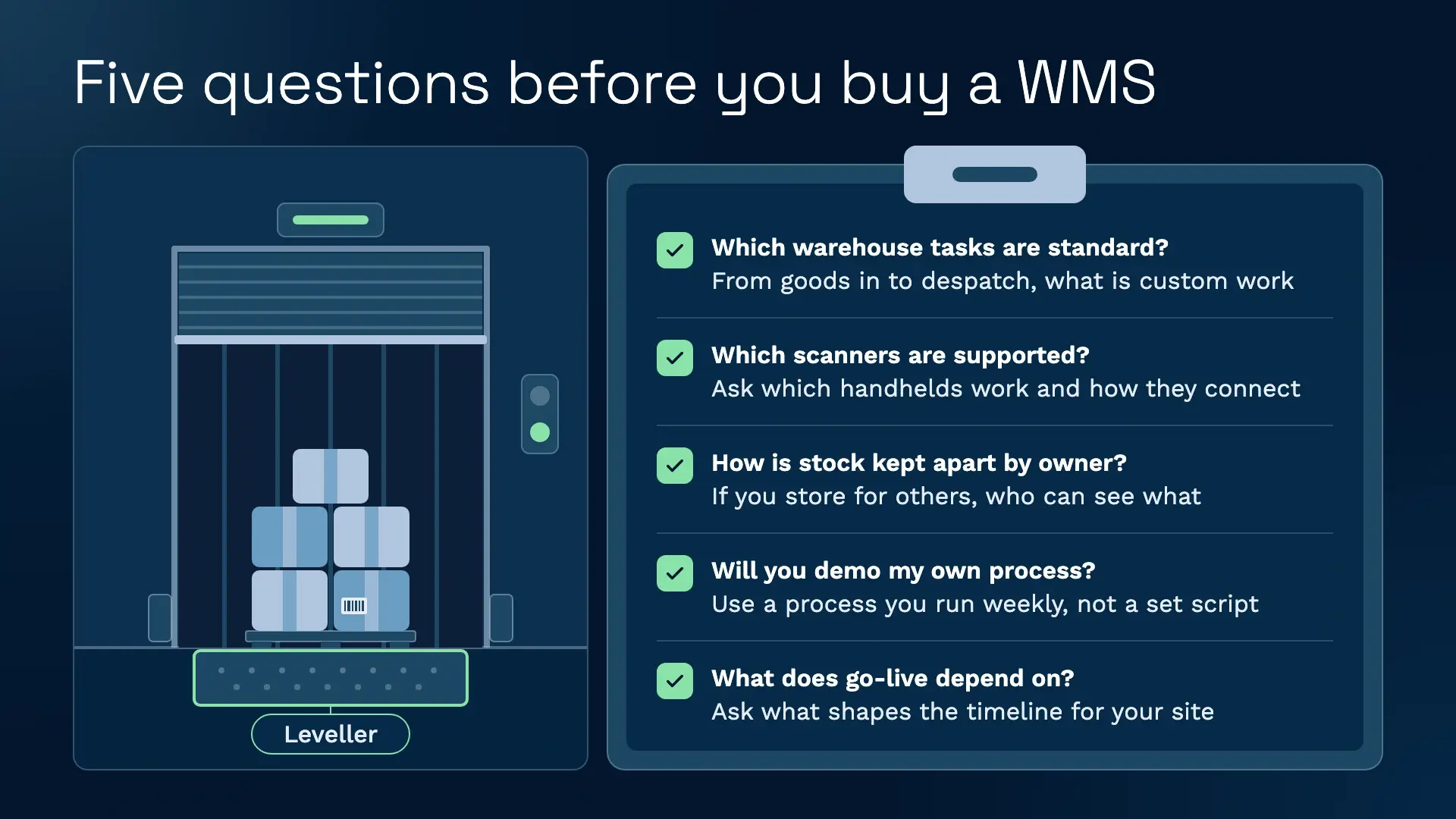
Ask for a written quote and a demonstration on a process you run every week, not on a standard script. These questions cover the points that the public pages leave open:
- Which warehouse tasks, from goods in to despatch, are standard, and which need custom development?
- Which handheld or RF scanners are supported, and how do they connect?
- If you hold stock for other businesses, how is it separated by owner, and who can see it?
- What does the licence cover per user and per site, and what is extra?
- What does a go-live for a site like yours depend on, and how long does it usually take?
Budget for the whole project, not only the licence. Our WMS-Kosten guide sets out the parts to price. If you are based in the UK, the HSE warehousing guidance und die UK Warehousing Association are useful starting points for neutral guidance on running a warehouse safely.
Sprechen Sie mit einem Lagerfachmann
If you are evaluating your options and want to see how a purpose-built WMS works in practice, Clarus is worth a conversation. We work with 3PLs and distributors to implement warehouse management software that fits the way you operate, not the other way around.
Kontaktieren Sie unser Team um Ihre Anforderungen zu besprechen.