
Trusted by operators who are ready for any contract
Clarus AI
Say yes to the contract. Not to the admin that comes with it.
It can automate any process you run in Clarus, from goods in to billing. Pick a problem below and watch it get handled, end to end. It acts under permissions and guardrails, which is why you can let it.
Identify missed pallet charges across 50 customer accounts.
Find the earliest one-hour goods-in booking slot for .
Run month-end storage charges for every customer, with a chart.
Process a batch of 100 PDF orders, extract data, and create in Clarus.
Check expiring stock, hold expired, and email the team.
Set up charge cards and windows from a tariff PDF and assign them.
Put Clarus AI to work.
Six jobs your team does by hand today. Watch Clarus AI do each one, and press the green button where it asks you to check.
 Shall I go ahead? Yes
 Template is live
 Invoke AI Prompt
 WN-002 has zero stock
 Missing line found
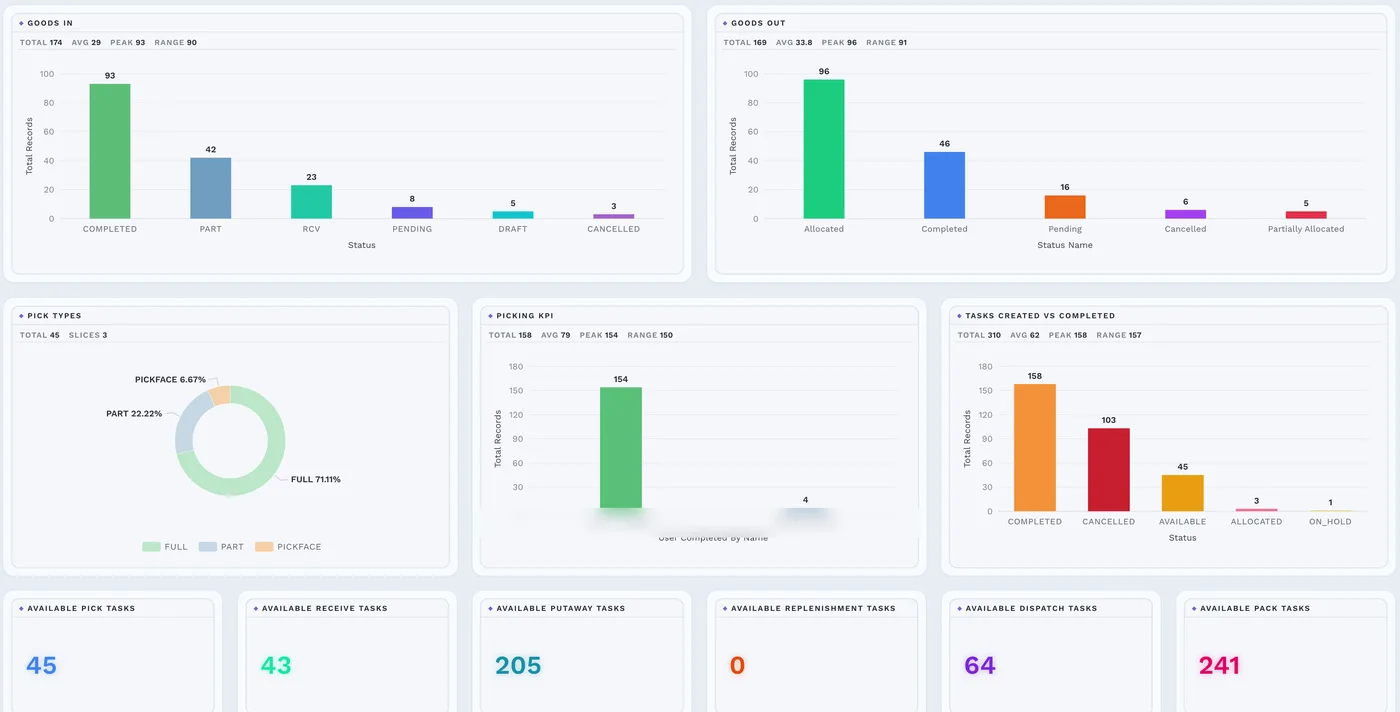 205 put away tasks waiting
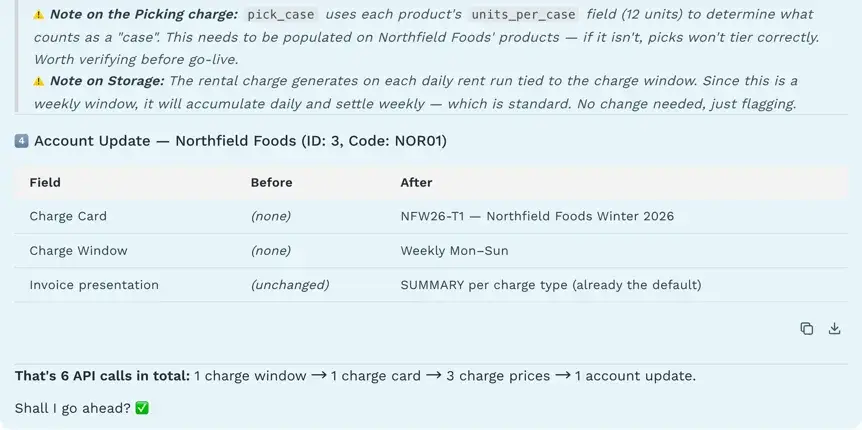
Today: a new tariff means hours of setting up charge cards by hand.
It sets up the charges.
The setup agent builds the charge window, charge card and prices for Northfield Foods, then shows you every change before and after.
Charge card and weekly window ready. It asked before it acted.
Learn more about AI specialist agentsToday: paperwork for each new customer waits on a developer or the old supplier.
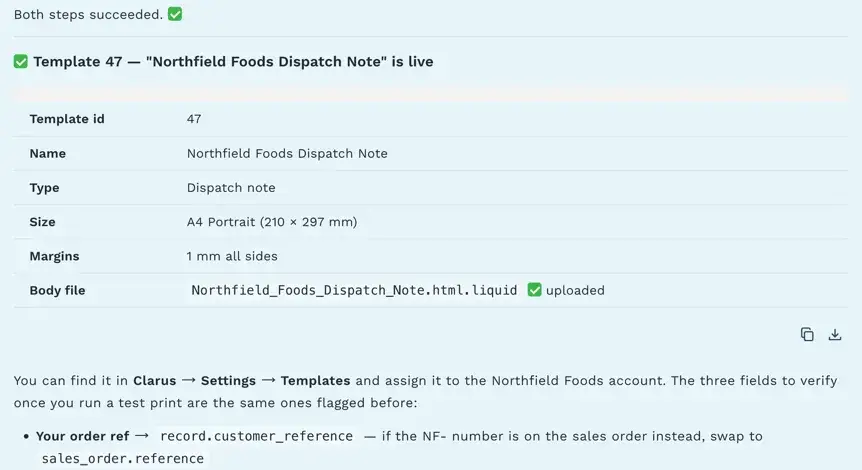
It builds the paperwork.
Ask for a dispatch note in the customer’s layout. The template agent creates it, uploads it and tells you what to check on the first print.
Northfield Foods Dispatch Note is live.
Learn more about AI for warehouse adminToday: someone picks the carrier for every order, one at a time.
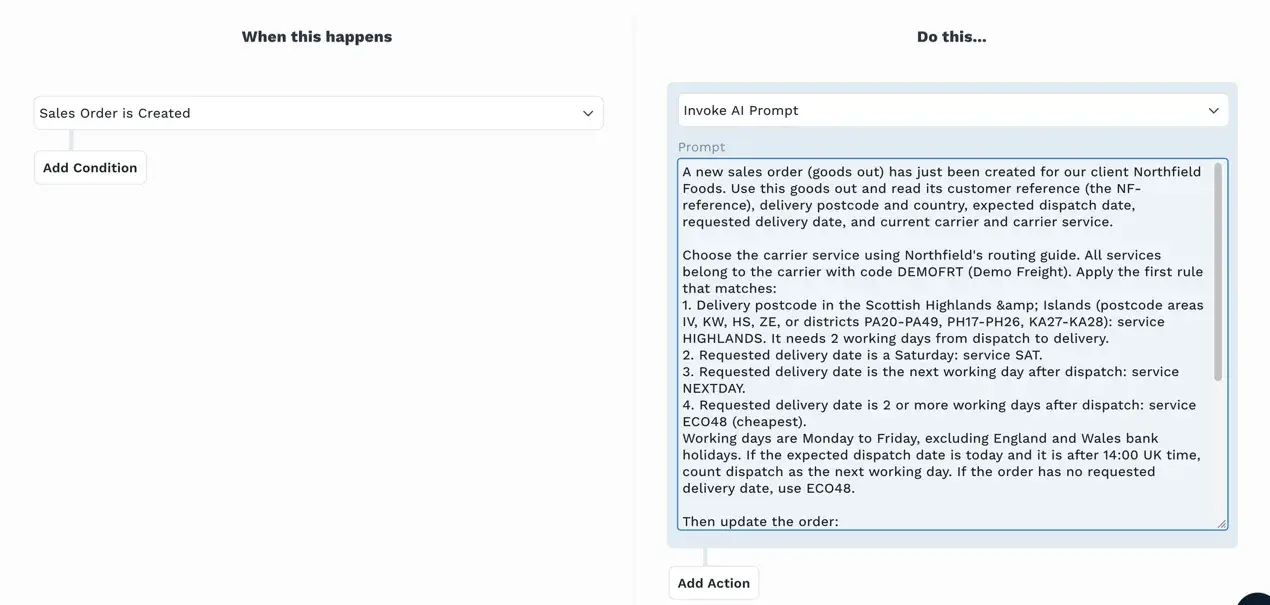
It follows your rules.
When a sales order is created, Clarus runs your routing guide written in plain English and picks the carrier service for every order.
Carrier choice now happens on every new order.
Learn more about AI automation rulesToday: stock problems found when allocation fails, not before.
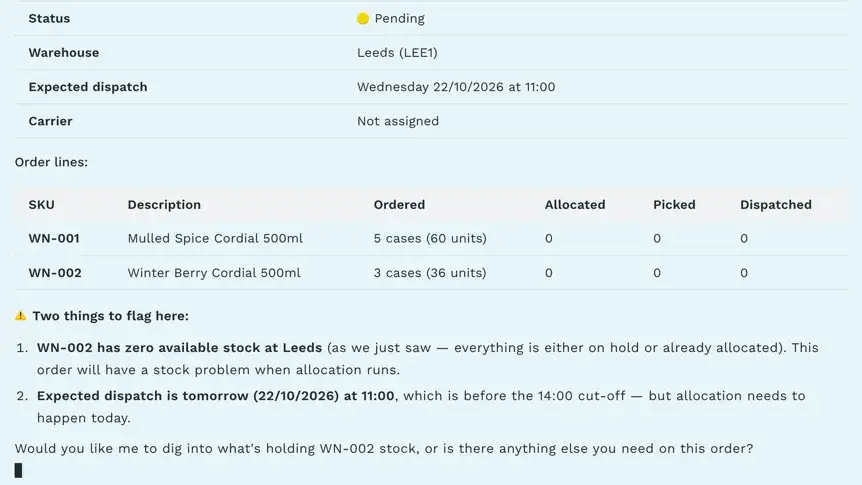
It spots the problem first.
Ask about an order and Clarus AI checks it against live stock. It flags what will fail before allocation runs.
Problem caught a day before dispatch.
Learn more about warehouse answers in chatToday: someone checks every customer PO against the order by hand.
It answers the inbox.
Email it a purchase order and the email agent checks it against the order in Clarus, then replies with what does not match.
Three differences found and sent back in one reply.
Learn more about the email agentToday: reports pulled into spreadsheets, already out of date by the time anyone reads them.
It builds the dashboard.
Dashboards are part of the core WMS and update live. Ask Clarus AI for the view you want and it builds it for you.
Live view of the whole operation, no export needed.
Learn more about WMS dashboardsSix jobs done. Nobody touched a spreadsheet.
Talk to us about putting Clarus AI to work in your warehouse.
Speak to the teamOne system, everyone can use it
Goods in, picking, packing, dispatch and billing on one system. The handheld walks your team through each step, the paperwork sends itself, and it plugs into the tools you already run.
Follow a delivery through Clarus.
Press the green button on each screen, the same one your team would press. One delivery, from the dock to the bill.
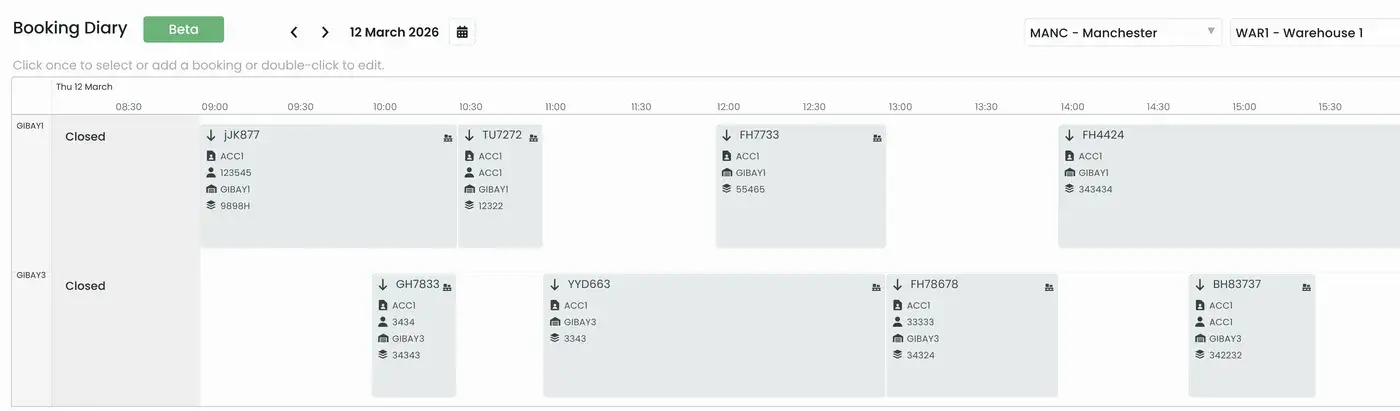 Select this booking
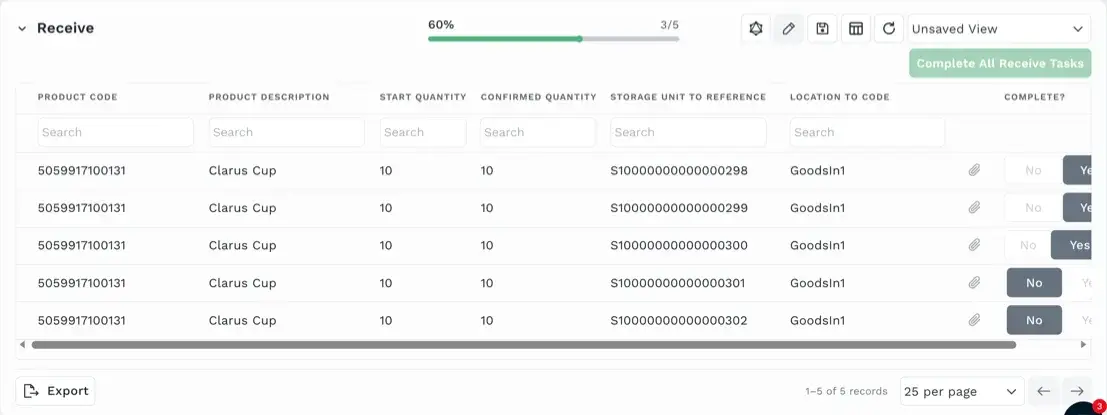 Confirm this line
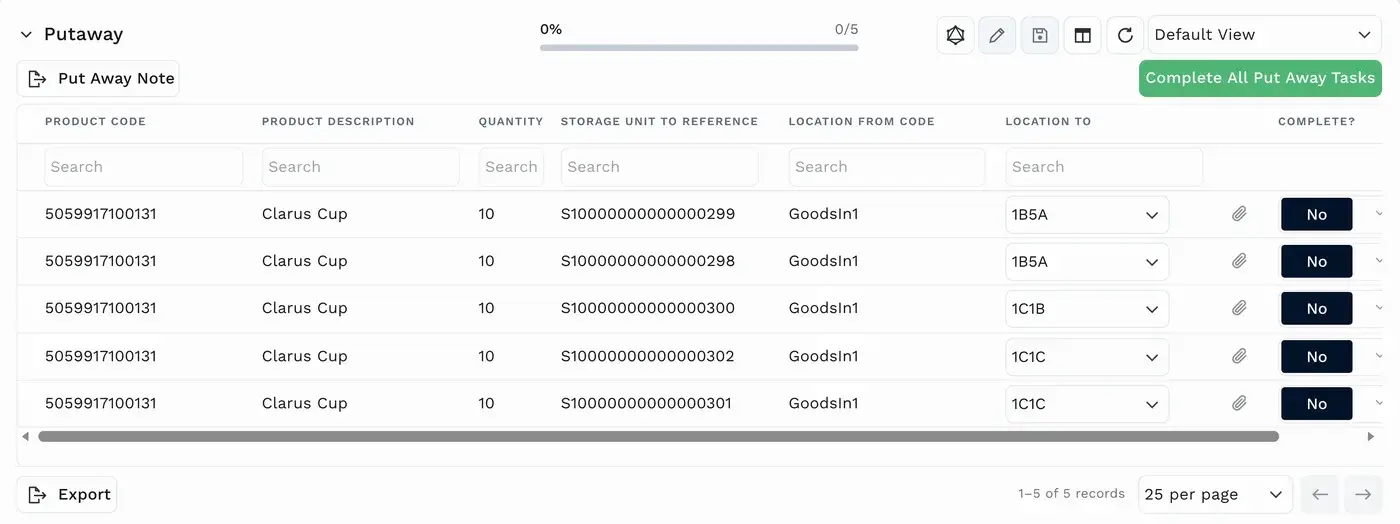
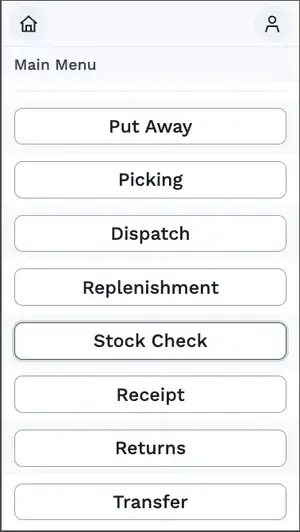 Complete put away
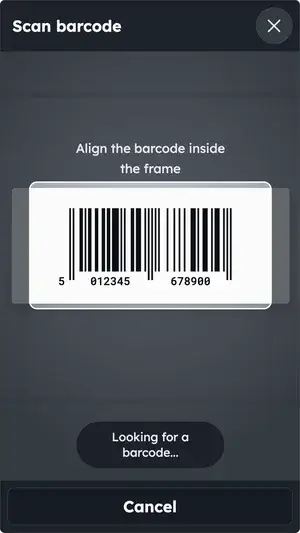 Picked to RedTote1
 Confirm packed
 Print labels
 Download PDF
Today: deliveries booked by phone and email, and the dock finds out when the lorry arrives.
It starts with a booking.
Every delivery gets a slot in the booking diary, by bay and by time. Your team sees what is due before it arrives.
Slot booked. Goods in knows it is coming.
Learn more about dock schedulingToday: paper delivery notes, keyed into the system after the driver has gone.
Goods in, line by line.
The pallets arrive. Each receive line shows the product, quantity, storage unit and location. Your team confirms each line.
Receipt complete. Stock is live the moment it is confirmed.
Learn more about goods inToday: pallets wait in goods in while someone looks for a space.
Every pallet gets a location.
Each storage unit gets a put away task from goods in to a rack location. Your team confirms each one as it lands.
Five put away tasks, each with its rack location.
Learn more about directed putawayToday: printed pick lists, and mistakes found when the customer rings.
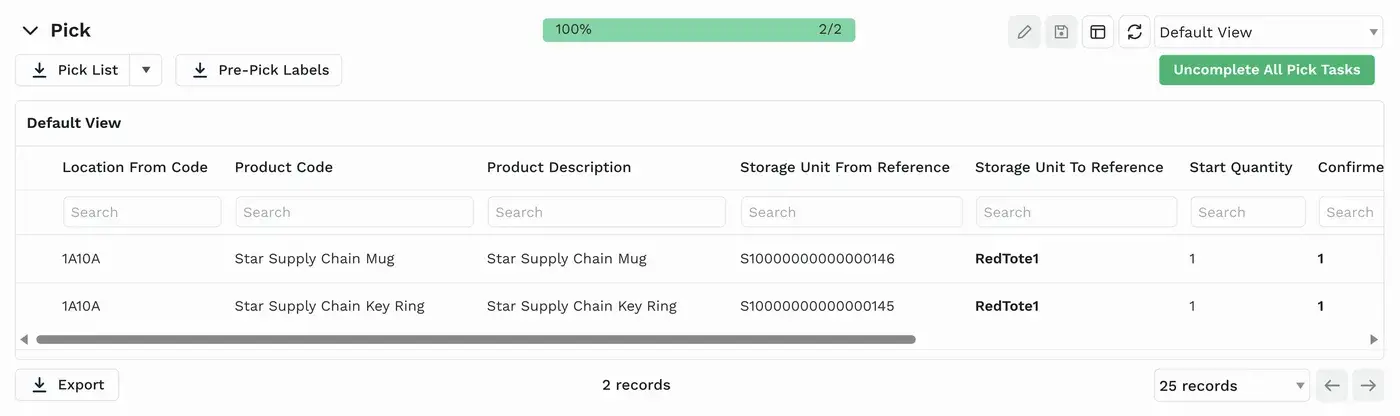
Picked, line by line.
The picking list tells your team where to go and what to take. Each line is confirmed into a tote.
Both lines picked into the tote. Pick is 100% complete.
Learn more about pickingToday: box and contents checked by eye, with nothing to prove what went in.
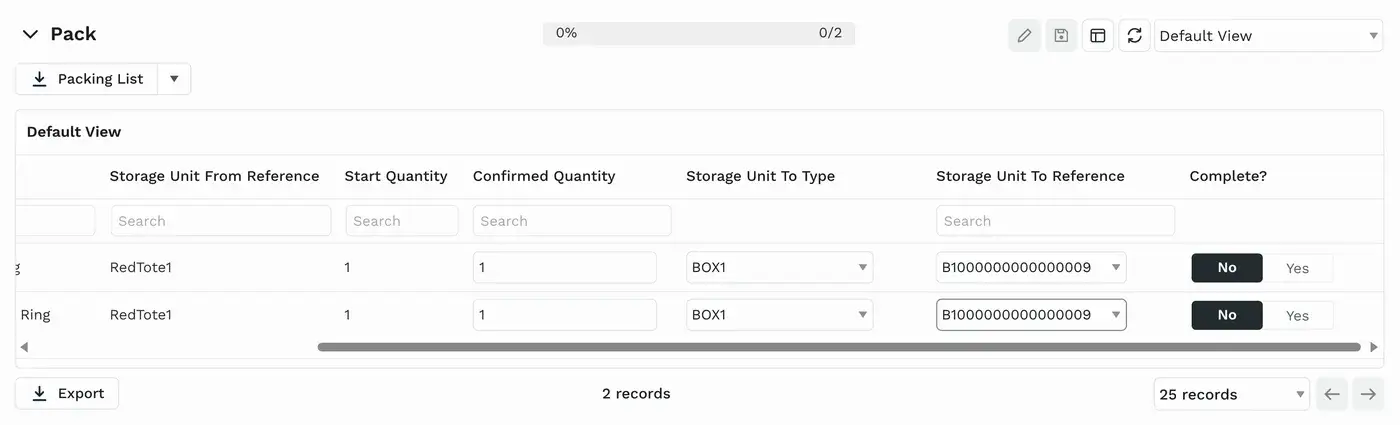
Packed into the right box.
Choose the box type, confirm the quantity and mark each line as packed.
Both lines packed into one box.
Learn more about the packing deskToday: tracking numbers copied from the carrier site into a spreadsheet.
Shipped with a tracking number.
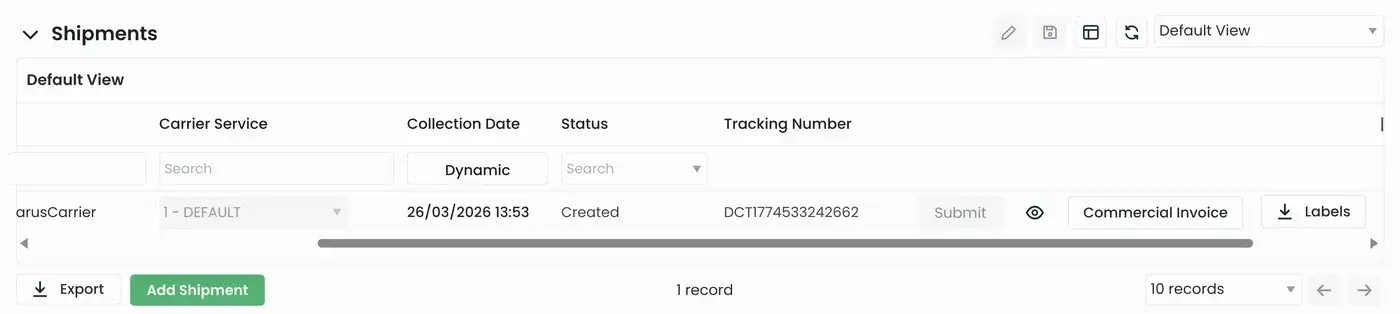
The shipment is created with the carrier service and a tracking number. Labels are one press away.
Shipment created and labels ready to print.
Learn more about pick to dispatchToday: invoices built by hand at month end, and charges that slip through.
Then the invoice is ready.
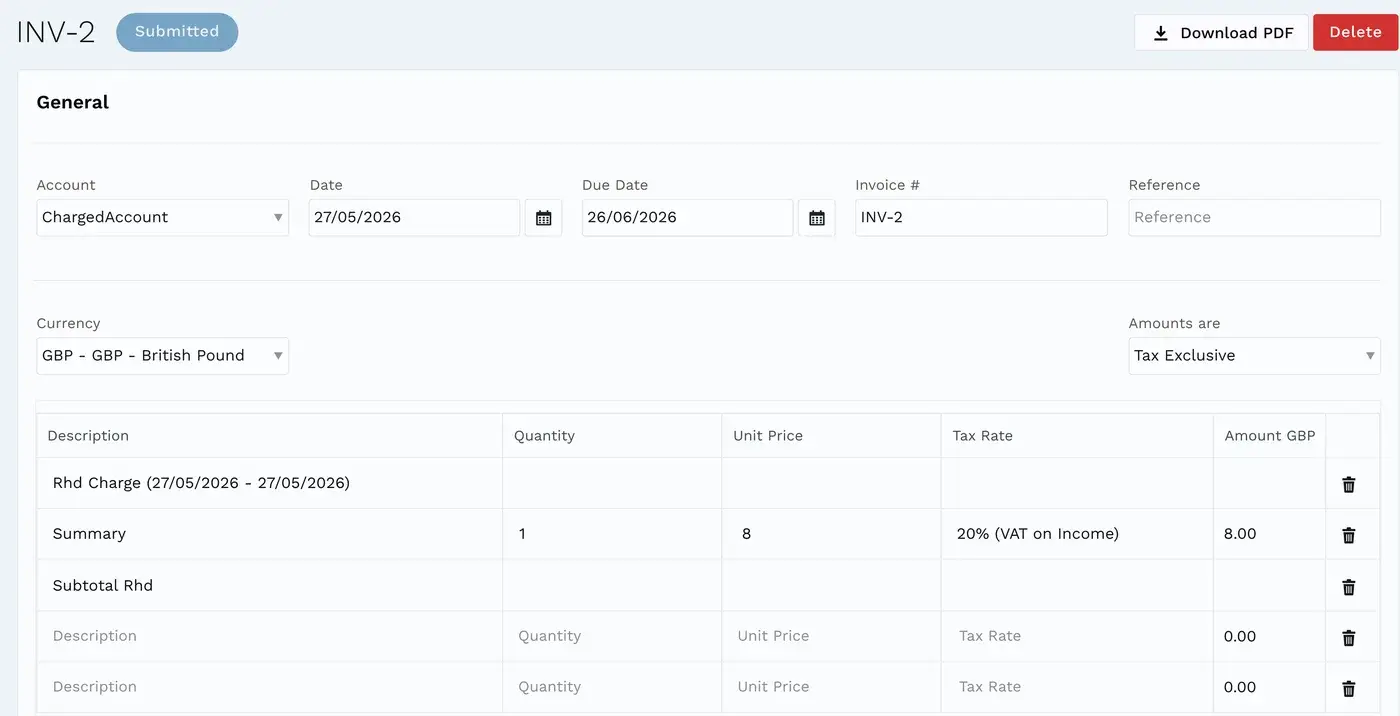
The charges for the work land on an invoice in Clarus. Review it, then download the PDF.
Invoice submitted. No spreadsheet at month end.
Learn more about client billingReal operations · real results
See how operators like you cut errors, sped up orders and freed up time after switching to Clarus, because their warehouse could finally keep up.