

Routing guides and service rules live in a document or in someone’s head
Each new order gets checked and corrected by hand
Rules engines need every condition set up in advance
Nobody records why a carrier service was changed
Write the rule as an AI prompt on an automation, the way you’d explain it to a colleague
Clarus AI applies it every time a sales order is created
First-match rules, fallbacks and exceptions, all in one instruction
Every change is explained in the order notes
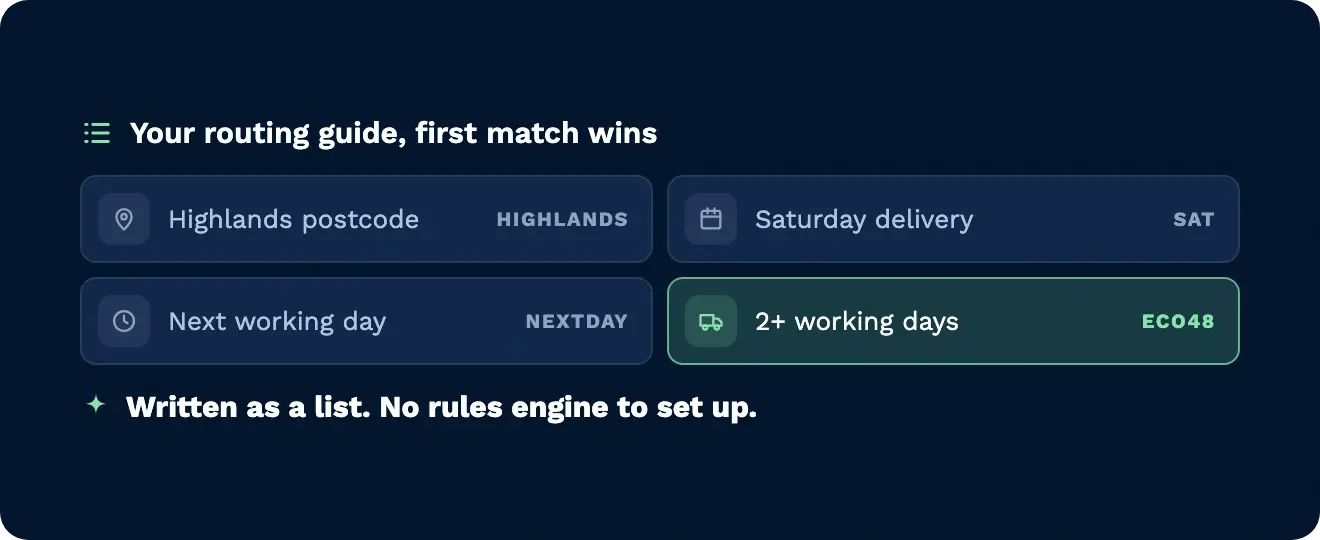
Postcode regions, Saturday deliveries, next working day, cut-off times. Write them as a list, first match wins, with a fallback for orders that don’t fit any of them.
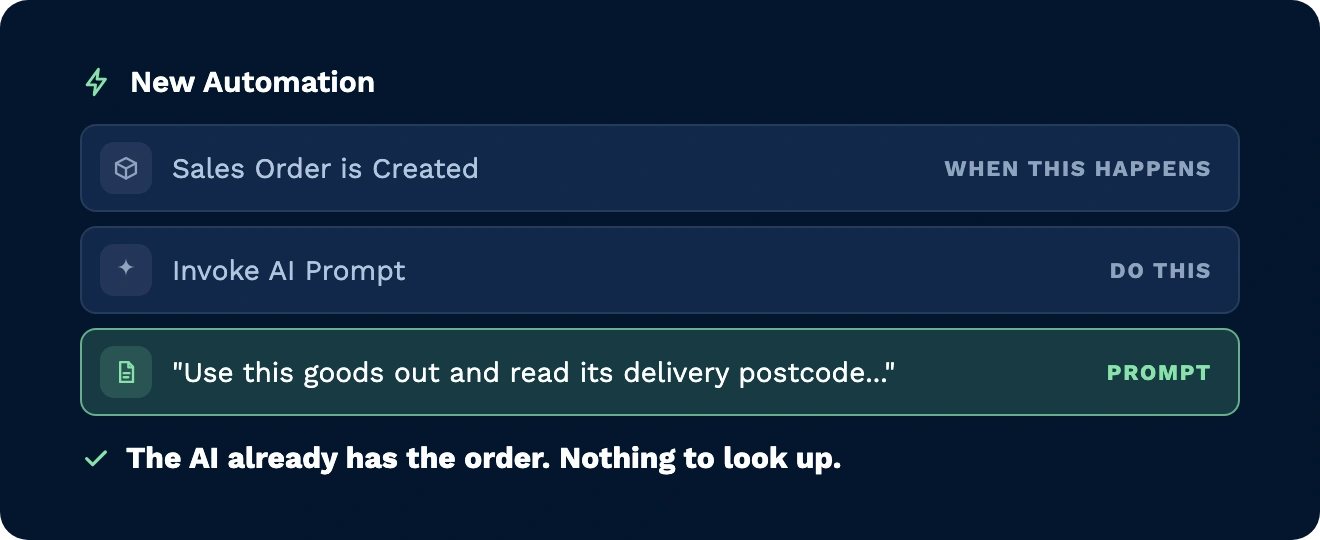
When the trigger fires, the AI already has the record. “Use this goods out” is all the prompt needs to say, and it reads the customer reference, delivery postcode, dates and current carrier itself.
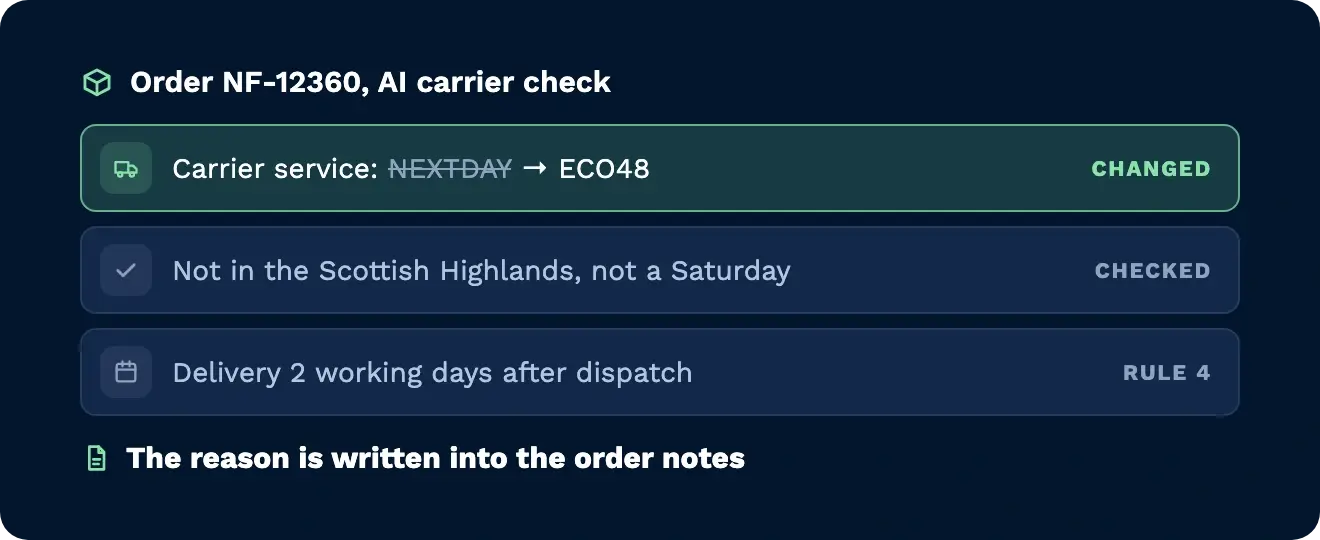
In our demo it moved an order from Next Day to the cheaper ECO48 because delivery was two working days out. The order notes recorded which rule it applied and why.
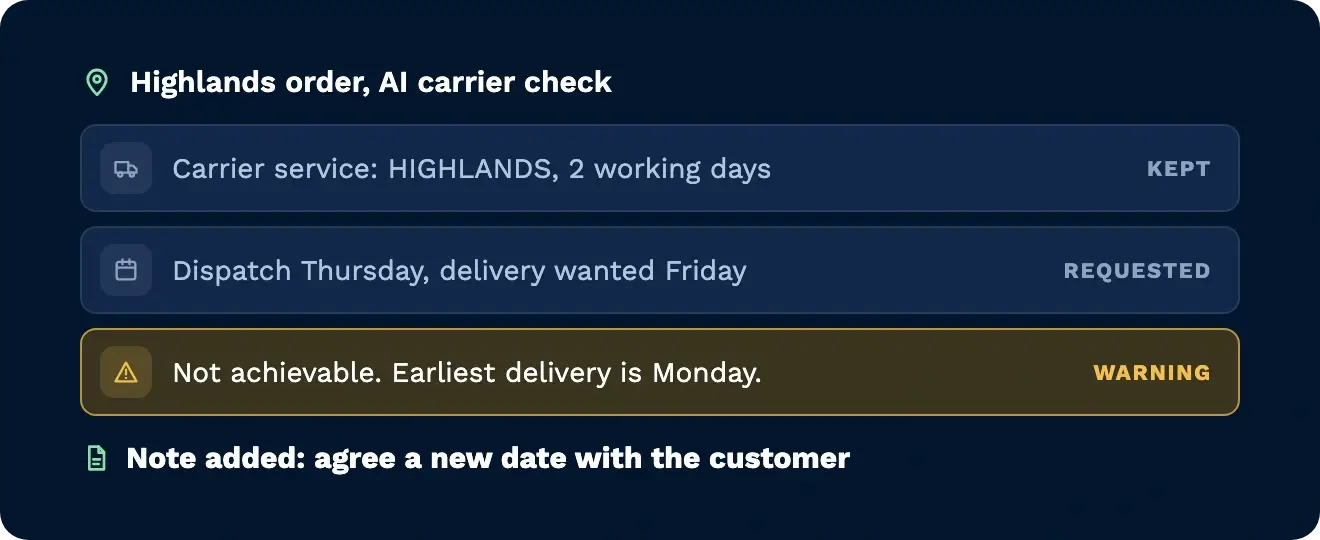
When a Highlands order asked for next-day delivery, it kept the right service and warned that the date wasn’t achievable. It gave the earliest possible date and asked for a new one to be agreed with the customer.
Pick a trigger, choose Invoke AI prompt, and write the instruction the way you’d explain it to a colleague. When a sales order is created, Clarus AI reads the postcode, dispatch date and delivery date, works through your rules and sets the right carrier service. If the requested date can’t be met, it says so in the order notes, with the earliest date it can do. Every change comes with the reason.

Every client has its own routing guide. Put each one into an AI prompt and it’s applied to every order as it arrives, with the reasoning written down.

Know straight away when a requested delivery date can’t be met. The AI adds a warning to the order with the earliest date that works, so you can agree a new one before it’s late.

Run AI jobs on a schedule as well as on orders. Daily, weekly, monthly or one-off, using the same plain-English instructions.
At the moment, an automation can run when a sales order is created, completed or cancelled. It can also run on a schedule you choose: daily, weekly, monthly or just once. More options for when it runs are on the way.
No. You tell Clarus AI what to do by typing it out, the same way you’d ask Clarus AI a question. Write your rules the way you’d explain them to a new starter, then say what you want it to change. There’s nothing to program or configure behind the scenes.
When an automation runs, Clarus AI is given the order that started it. So you don’t need to tell it which order to look at. Your instruction can simply say “check this order” and it already has the details in front of it.
Everything it needs to finish the job, because it runs when nobody is around to answer questions. Include your rules, which order to check them in, what to do if none of them apply, and exactly what to change at the end. Numbering your rules and asking it to use the first one that matches keeps things clear.
Ask it to explain itself, for example by adding a note to the order. In our demo, every change came with a note saying what was changed and why. That gives your team an easy way to check its work.
Yes. You decide what it’s allowed to do in your instruction. For example, it could add a note suggesting a different delivery service and leave the order as it is. Many teams start this way, read the notes for a week or so, and then let it make the changes.
Yes. Each time an automation runs, it uses AI from the same monthly allowance your team uses when they ask Clarus AI questions. An automation that runs on every sales order will use AI every time, so it’s worth keeping an eye on the busy ones.
Speak to your Customer Success Manager, who can set it up on your account. They can also help you write your first instruction and check it’s working as expected.
¿Todavía indeciso? Dedica cuatro minutos a ver cómo Clarus se encarga de mercancías?en, recogida y expedición. Ya verás por qué Nuestros clientes siguen diciendo ”sí” a nuevos contratos.